Identify the TL-WR841N hardware version first
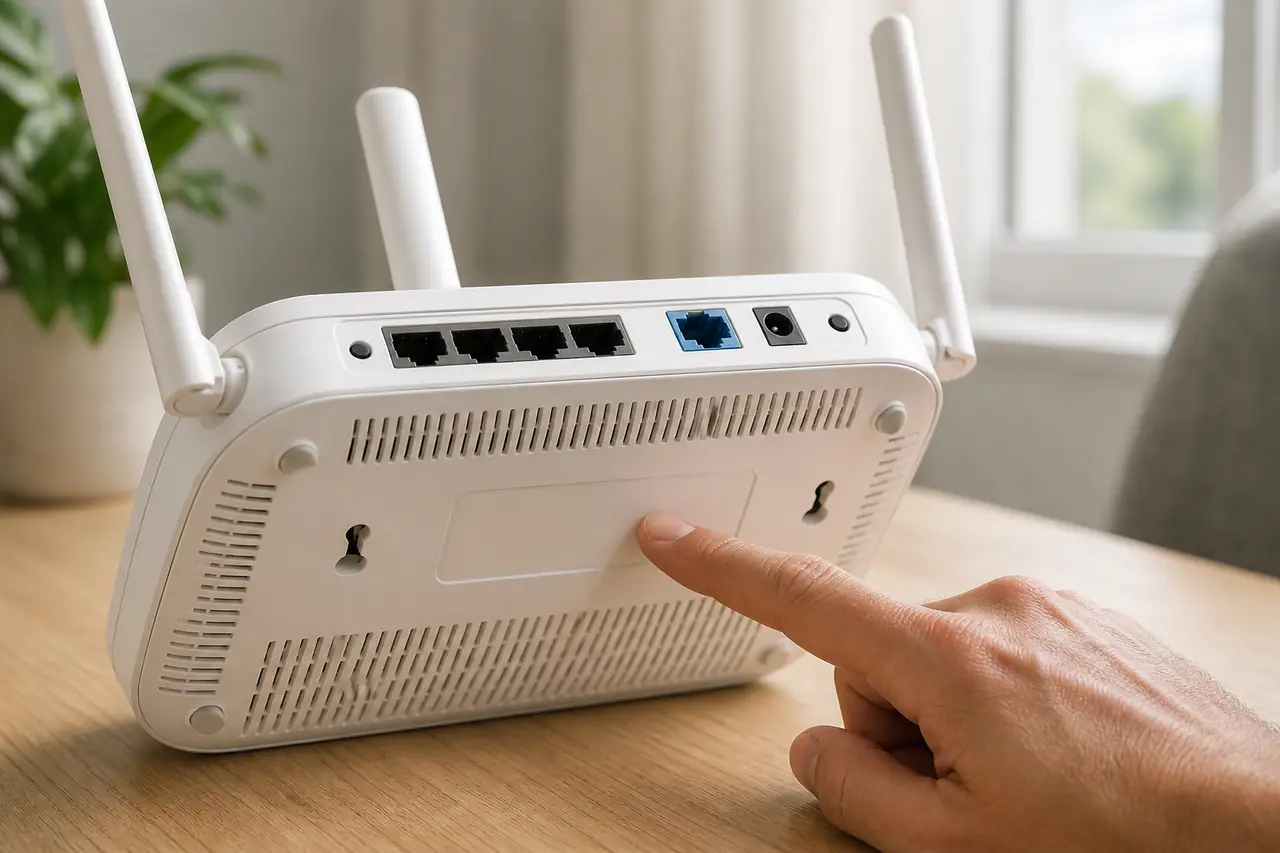
Read the label on the bottom or rear of the router and record the complete model name, hardware version and sales region. The product name TL-WR841N is not enough by itself: TP-Link lists separate V14.80, V14.60, V14.20, V14, V13, V11, V9, V8, V7, V5 and V1 entries on the US page.
The label is more reliable than a marketplace listing or a firmware filename found on a mirror. If the label is worn, open the router administration page and compare its hardware information with the official support page, but do not guess a version from the serial number or from another TL-WR841N owner.
- Write down TL-WR841N exactly, including the hardware version after Ver, V or H/W.
- Match the TP-Link site to the country or region where the router was sold.
- Stop when the support page does not list your hardware version or local product variant.
- Do not treat V14.80, V14.20 and V14 as interchangeable package labels.
Latest official TL-WR841N firmware package
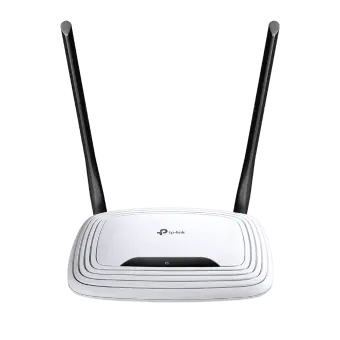
For the US support page checked on August 5, 2026, TP-Link lists the multi-language package TL-WR841N(US)_V14.8_260312 for the V14.80 hardware selection. The page gives a publication date of April 29, 2026 and a displayed size of 4.73 MB. The official ZIP link above is the file destination exposed by the page's download notice.
That package is useful as a verified US reference, not as a universal answer for every TL-WR841N. TP-Link's English, Spain, Japan, France, Germany, Portugal, Korea and Italy pages expose different hardware-version lists, which is why the regional selector remains beside the direct file.
| Route | Best fit | Caution |
|---|---|---|
| US V14.80 page | US TL-WR841N with V14.80 on the label | The direct ZIP is a US package; do not cross-install it by name alone. |
| Regional support page | EU, Japan, Korea or another sales region | Select the exact country site and hardware entry before downloading. |
| Older hardware entry | V1 through V13 when that revision is printed on the router | Use the matching entry and its own release notes, not the newest V14 file. |
| No matching entry | Unclear, ISP-customized or rebranded hardware | Stop and contact TP-Link or the provider instead of forcing a close match. |
How to update TL-WR841N firmware safely
A firmware update changes the router software, so export the current configuration if the administration interface supports it and write down any ISP, VLAN, VPN or custom DNS settings you need to restore. Use stable power and prefer a wired computer connection for a web-interface update.
The exact menu names vary by hardware revision. Follow the instructions on the matching TP-Link support page, and do not upload the ZIP archive when the router asks for an extracted firmware image. Never turn off the router while it is writing the update.
- 1
Confirm the model, hardware version and region on the router label.
- 2
Open the matching TP-Link Download Center page and read the release notes and upgrade warnings.
- 3
Save a configuration backup and connect the computer to the router with Ethernet when possible.
- 4
Download the official package, extract it only when TP-Link's instructions require extraction, and select the matching image in the router interface.
- 5
Start the update only after checking the model and target version one more time.
- 6
Keep power and the wired connection stable until the router reboots and the administration page becomes available again.
Why a TL-WR841N firmware upload can fail
A rejected upload does not prove that the router needs a different mirror. Most failures are a model, hardware-version, region or file-format mismatch. Read the exact message, return to the official page for the printed revision and avoid repeated flashing attempts with guessed files.
ISP-customized routers may accept only provider firmware, and some revisions require an intermediate release before a newer package. If the router cannot reach a documented recovery screen, stop power cycling and ask TP-Link or the provider for the supported recovery path.
- The file is for another hardware version or regional market.
- The downloaded archive is incomplete, damaged or still compressed when extraction is required.
- The router expects an intermediate version or rejects a downgrade.
- The browser session or wireless connection was interrupted during upload.
- The device is ISP-customized and the public TP-Link package is not accepted.
- Power was removed before the router finished writing and rebooting.
What to verify after the update
Wait for the router to finish rebooting before opening several browser tabs or pressing the reset button. Sign in through the normal administration address, confirm the installed firmware and check that the internet connection, Wi-Fi names, passwords, VLAN settings and custom DNS values match your backup.
If the router returns to factory defaults, restore only a configuration backup that TP-Link says is compatible with the new release. Keep the old settings and the official package record. A stable connection after reboot is useful evidence, but it does not turn a regional package into a compatible one.
- Confirm the firmware version in the router status page.
- Check WAN access, wired LAN, Wi-Fi and any provider-specific settings.
- Re-enable security settings and change the administration password if the reset process cleared it.
- Keep the official release note and hardware-version record for future support.
TP-Link TL-WR841N Firmware Download FAQ
What is the latest TP-Link TL-WR841N firmware?
The US TP-Link page checked on August 5, 2026 lists TL-WR841N(US)_V14.8_260312 for the V14.80 hardware selection, published April 29, 2026. Check your regional page before installing because hardware lists and packages vary.
How do I find the TL-WR841N hardware version?
Read the product label for Ver, V or H/W text beside TL-WR841N. Use that exact revision when selecting the TP-Link support page; do not infer it from the retail name or serial number.
Can I install the US V14.80 file on an EU TL-WR841N?
Do not cross-install it just because the model name matches. Wireless rules, hardware entries and package compatibility can differ by region. Use the TP-Link page for the router's sales region unless TP-Link explicitly documents another route.
Is the TL-WR841N firmware download a ZIP file?
The verified US destination is a ZIP archive. Follow the matching TP-Link instructions about extraction and upload format; a router may require an extracted image rather than the archive itself.
Why does my TL-WR841N reject the firmware?
Recheck the hardware version, region, package completeness and required file format. ISP-customized routers and older revisions may require a provider package or an intermediate release. Do not keep trying random mirrors.
Should I update TL-WR841N firmware over Wi-Fi?
Use the method TP-Link documents for your revision. A wired connection is generally safer for a web-interface upload because a wireless interruption can stop the transfer; stable power is essential either way.
Official verification sources
The model, version list and package metadata were checked on August 5, 2026. TP-Link remains the authority for regional compatibility, current release notes and supported recovery steps.
- TP-Link US TL-WR841N Download Center US hardware-version selector, V14.80 package listing, publication date, displayed file size and download notice.
- TP-Link Hardware Version FAQ Official guidance for locating the hardware version printed on a TP-Link device.
- TP-Link Router Firmware Update FAQ Official general update precautions and model-specific support boundary.